Build noteDec 03, 2024
Avada
Video Tutorial
Preparation
To activate the double opt-in for your Avada form, please follow these steps:
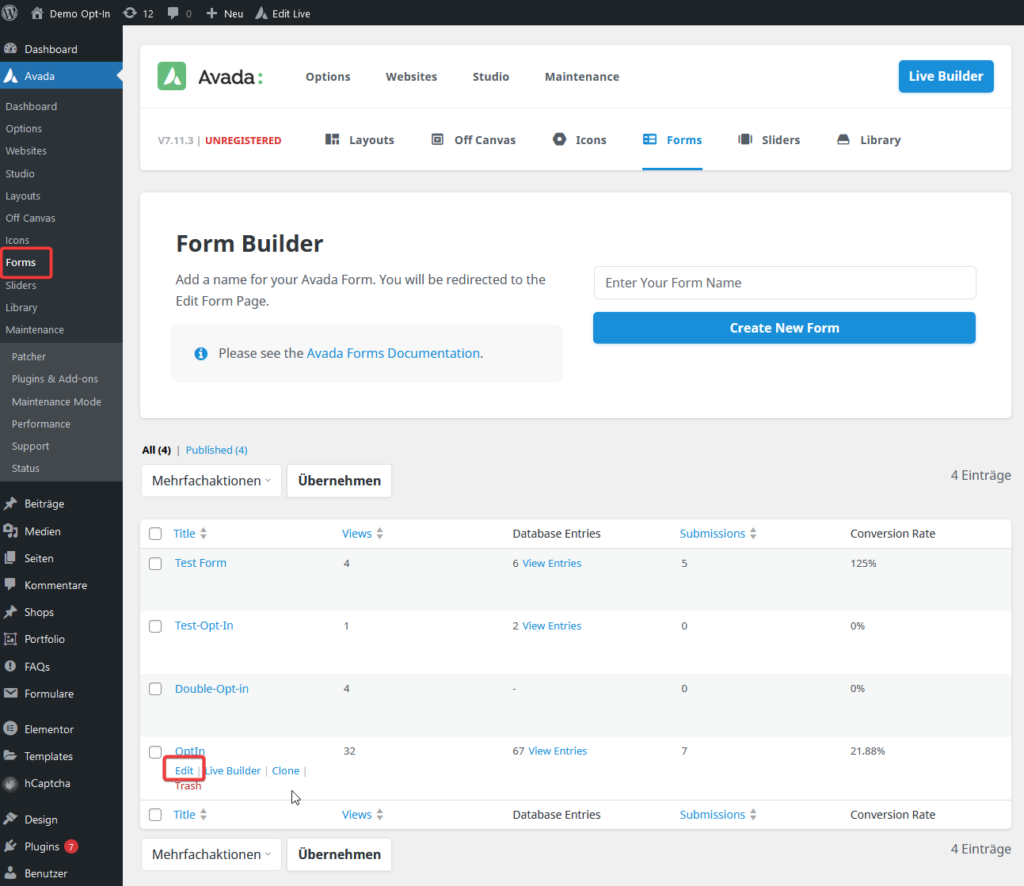
- Navigate to Avada > Forms in your WordPress dashboard.
- Select the desired form and click Edit.
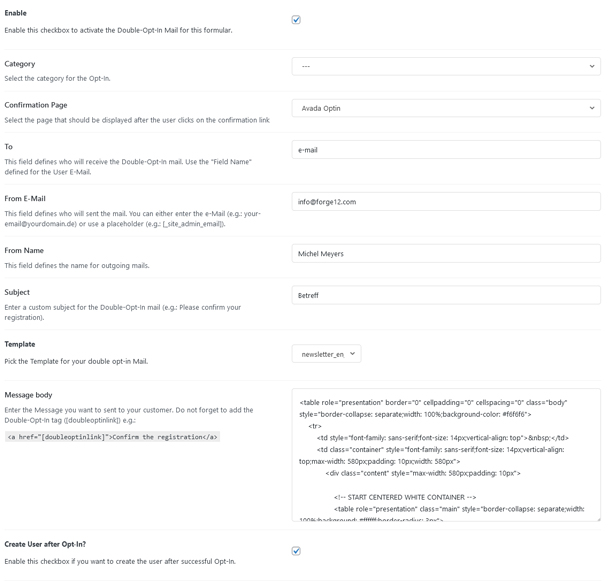
In the form options, you will find a new tab labeled Double Opt-in that contains all configuration options.
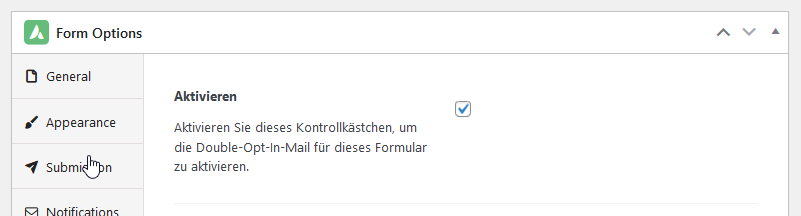
Important: For the double opt-in to work, you must ensure that in the Submission tab, the Submission Type is set to Save to Database. Otherwise, no email will be sent.
Step 1: Activate Double Opt-in
First, you need to activate the double opt-in for the selected form. To do this, check the box next to the label "Activate".
Step 2: Configure Opt-In Mail
After activation, you need to configure the opt-in mail. Enter the name of the form field that contains the visitor's email address in the appropriate field.