WooCommerce & Shop OperationsAug 08, 2023
How to Hide All Shipping Options in the Cart with Free Shipping (WooCommerce)?
Under the WooCommerce settings, you can define the desired shipping methods under shipping zones. You can also offer free shipping under certain conditions – most commonly based on a minimum order value.
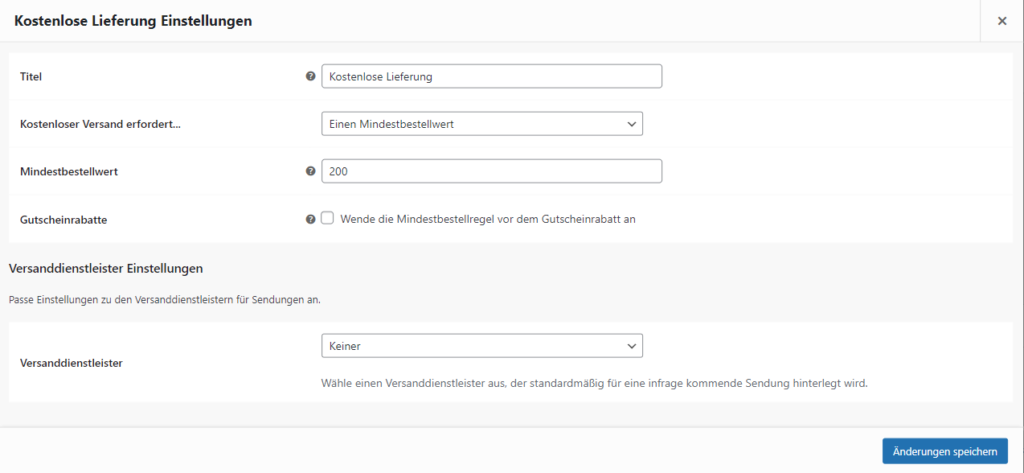
Unfortunately, this is displayed in the cart as a selectable shipping option instead of replacing the flat rate specified here. This can lead to unaware customers potentially overlooking this and later being frustrated about shipping costs they shouldn't have paid.
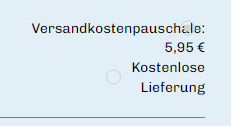
Unfortunately, there is no setting in the WordPress backend under the WooCommerce tab to address this issue. To solve it, a function needs to be added to your website's functions.php file that provides a remedy.
<?php

function my_hide_shipping_when_free_is_available( $rates ) {
	$free = array();

	foreach ( $rates as $rate_id => $rate ) {
		if ( 'free_shipping' === $rate->method_id ) {
			$free[ $rate_id ] = $rate;
			break;
		}
	}

	return ! empty( $free ) ? $free : $rates;
}

add_filter( 'woocommerce_package_rates', 'my_hide_shipping_when_free_is_available', 100 );
If you add this code snippet to your functions.php, only "Free Shipping" will be applied in the cart once the condition for free shipping is met. This way, you don't have to worry about your customers mistakenly paying for shipping.
However, this is not the end of the story, as adding this code raises a new issue:
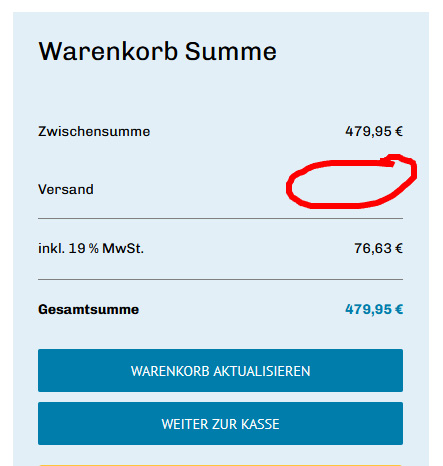
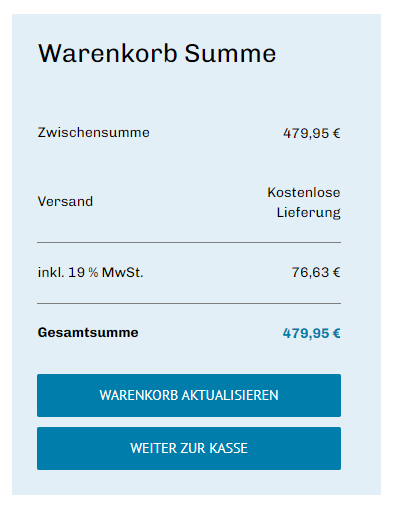
The different user roles cause the free shipping not to be displayed. Since free shipping depends on the shipping zone, the backend needs the user's address to correctly assign the shipping zone. This means that users with an account and a registered shipping or billing address will see the shipping correctly displayed. However, guest customers see nothing, as shown in the image above.
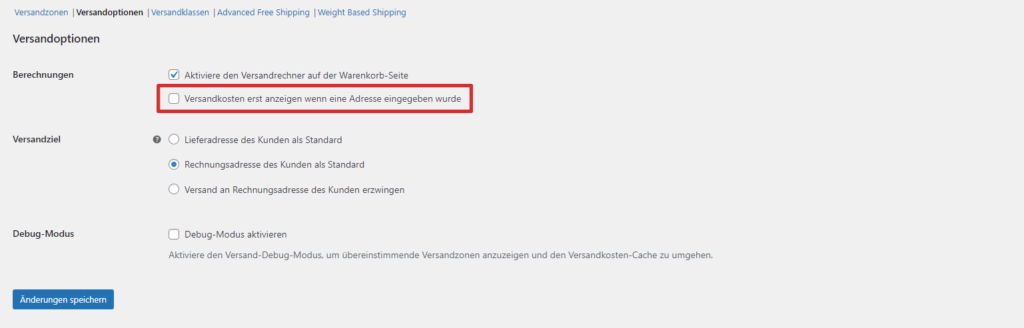
Fortunately, this is easy to solve, as there is a setting in the shipping options under the WooCommerce tab in the dashboard that describes exactly this. If this is disabled, shipping will also be displayed correctly for guests. The logic infers the correct shipping zone in this case based on the user's IP address.
An online shop with more complex requirements regarding discounts and shipping unfortunately does not always get by without additional code or plugins. The solution presented here ensures that free shipping always prevails over other options when its conditions are met.
If there is, for example, local pickup for the shipping zone, this should of course remain as an option alongside any type of shipping costs. In this case, the above code needs to be slightly modified:
function v161_woocommerce_hide_shipping_method( $rates ) {
$free = array();
$free_shipping = false;

    foreach ( $rates as $rate_id => $rate ) {

        if ( 'free_shipping' === $rate->method_id ) {

            $free[ $rate_id ] = $rate;
            $free_shipping = true;

        }

        if ( $free_shipping == true && 'my_custom_shipping_method' === $rate->method_id ) {
            $free[ $rate_id ] = $rate;
        }

    }

    return ! empty( $free ) ? $free : $rates;
}
"'my_custom_shipping_option' === $rate->method_id" describes the desired shipping option that will now continue to be displayed in addition to free shipping.