WordPress Errors & MaintenanceSep 25, 2020
Manipulate WordPress Password Reset.
You can replace or remove the automatic password generated by WordPress during a reset at any time by placing the following small code in the "functions.php" of your child theme.
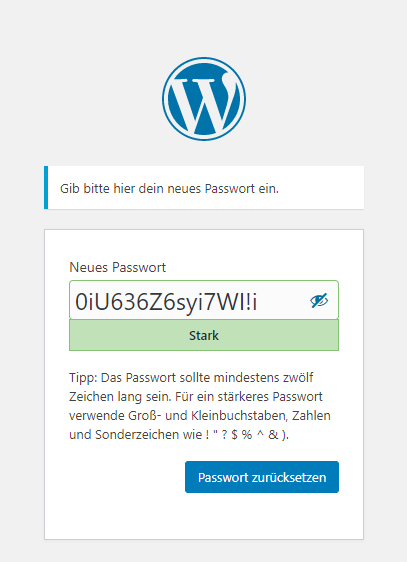
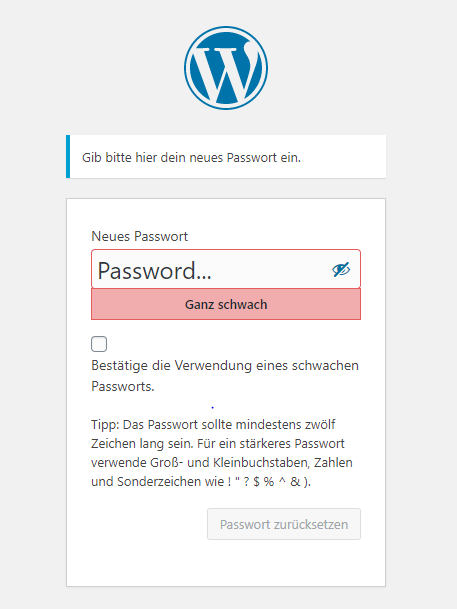
function removeRandomPassword( $password ) {
	$action = isset( $_GET['action'] ) ? $_GET['action'] : '';
	if ( 'wp-login.php' === $GLOBALS['pagenow'] && ( 'rp' == $action || 'resetpass' == $action ) ) {
		return __('Password...', 'twentysixteen');
	}
	return $password;
}

add_filter( 'random_password', 'removeRandomPassword', 15 );
Note: You can of course customize __('Password...','twentysixteen') to your liking. The important thing is that you enter the text domain of your child theme for 'twentysixteen' so that you can continue to use translations in the backend of your WordPress site.
Was this post helpful? Then please leave us a short comment. We appreciate your feedback.